
| November brought a wave of improvements. Built from your suggestions, these updates make operations faster, smarter, and easier to manage. With new tools like Line Fill Percentage, PDF uploads across all modules, enhanced reporting, custom bag sizes, and Metric/Imperial display options, MusselApp is now more powerful than ever. |
We have received all your recommendations and suggestions, and we have implemented several of them to improve your processes and overall experience. We will continue enhancing your experience.
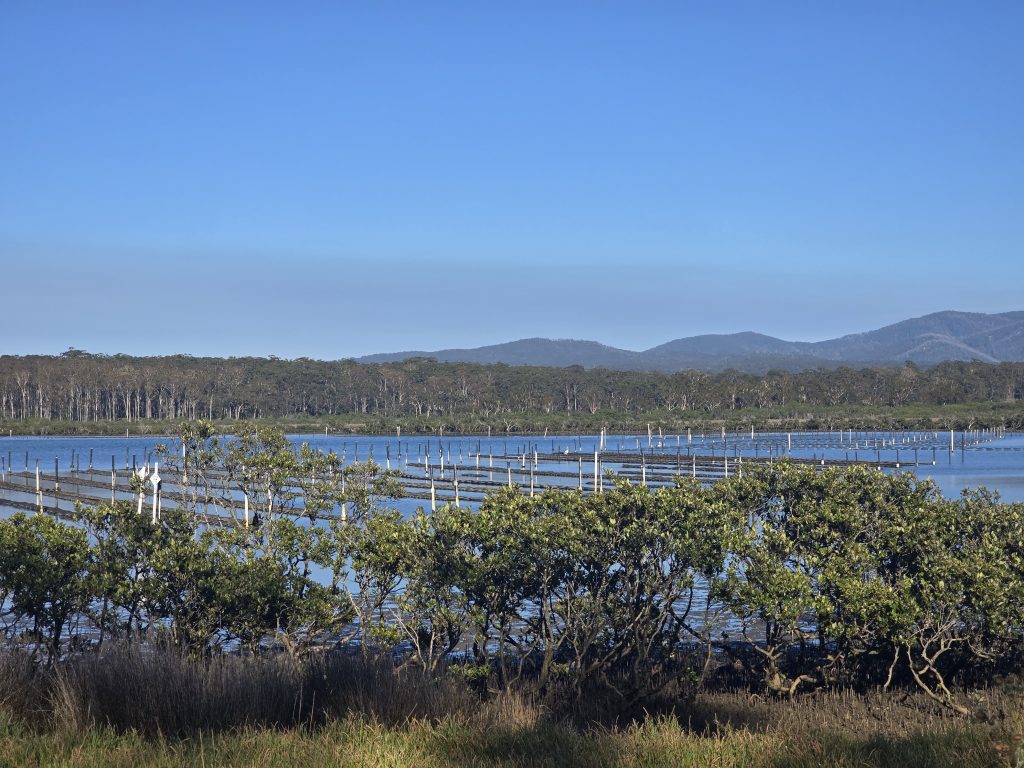
- Messaging Issues Resolved
The recent problems affecting in-app messaging have been fixed. The Messaging feature is now fully operational again.
- New: Line Fill Percentage

We’ve added a new Line Fill % column for more accurate management of line utilisation.
You can now:
- Rely on calculations based on each line’s total length, as defined when it is created
- Enter the seeded length as a percentage
- Automatically view the filled percentage when entering the seeded length in metres.
<– Example:
If a line measures 1000 m and 400 m are seeded, the next seeding event will begin at 40%.
- Retain previous stage during seeding
When adding a seeding event, you can now keep the previous stage, avoiding unnecessary manual updates.

- VIEW HISTORY for all MT lines

A full history view is now available for every MT line, giving you greater traceability and operational visibility.
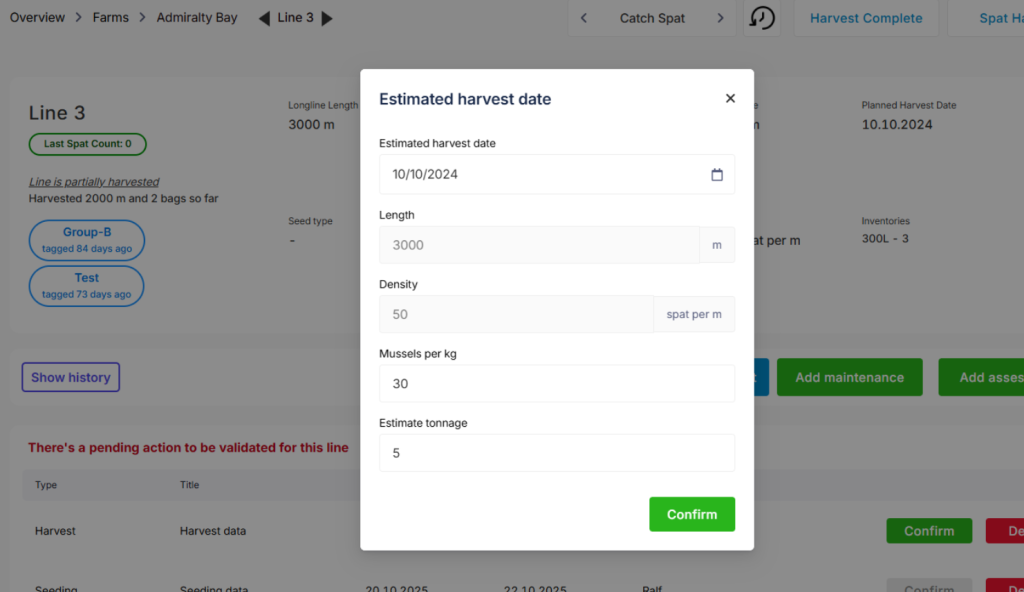
- New parameter for Estimated Harvest Date: Mussels per kilo
We’ve added a third data point to improve harvest forecasting: mussels per kilo.
The first 2 should be pulled from data, the 3rd one only if data is available – then press ok and it should put tons to this field rounded to single tonnage. This will be only shown in final stages.
- PDF support added to file upload

You can now upload PDF files — in addition to images — across all core modules, including seeding, assessments, maintenance, inventory, and harvest.
Ideal for documentation, certifications, lab results, and reports.
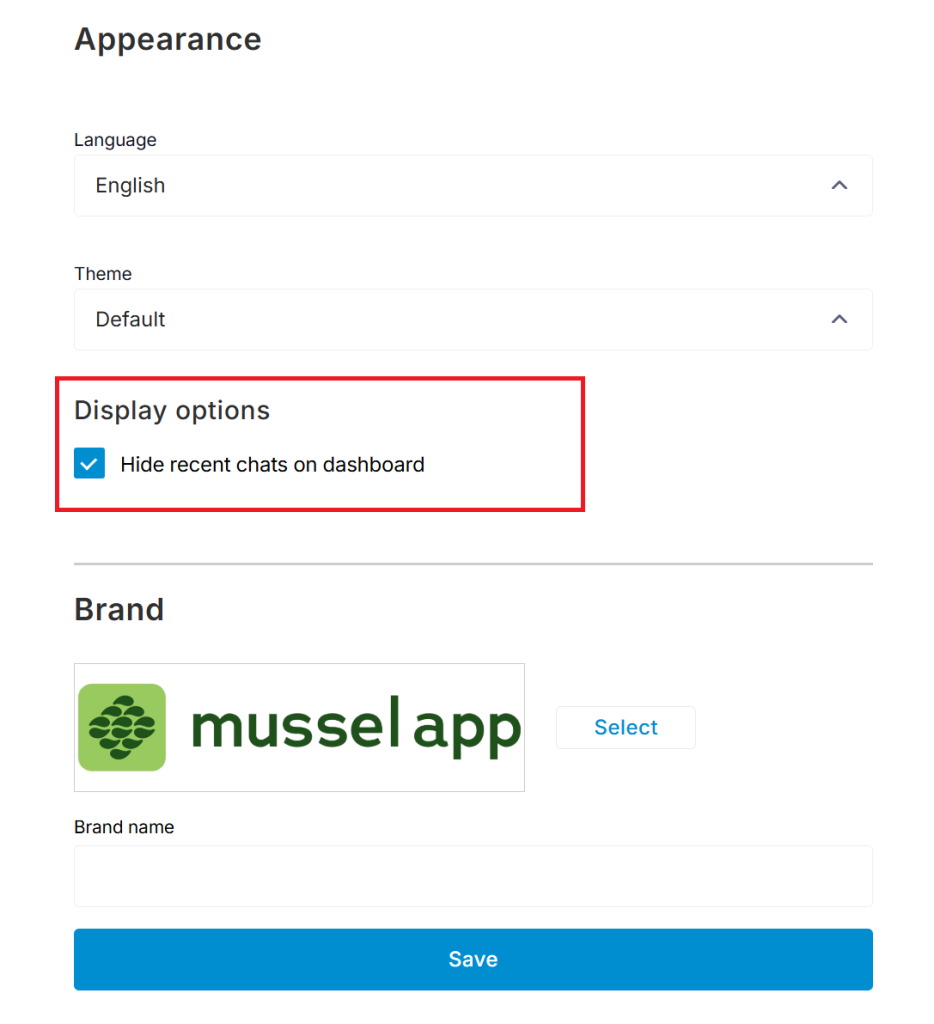
- Option to hide chat on the dashboard
For a cleaner workspace, you now have the option to hide the recent chats section:
Profile → Appearance → Hide Recent Chats on Dashboard
- New Collect Bag sizes

On the harvest complete section, you can customize the weight of the dropdown bags accordingly. It is next to the number of bags sections, so it is easier to find.
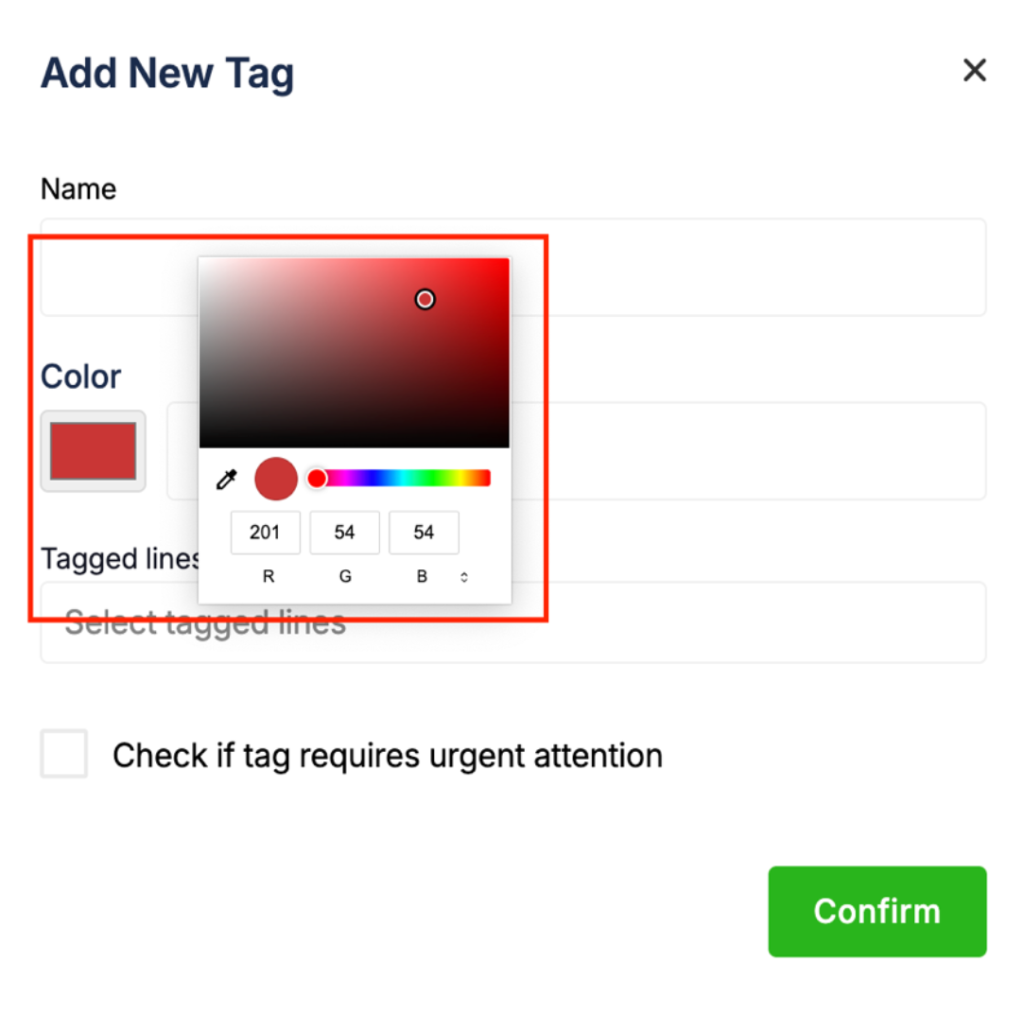
- Colour picker for tags
Tags can now be customised using a built-in colour picker to help you organise your workflow visually.
- Boat references
Now it is easier to add the boat reference to every action, to know which boat did any given task.
And it shows in the validation chart per line.

- Reports, now more detailed
The reports section now include performance details, financial details, a total of empty vs full lines, harvested amounts, harvested metres and total bags.
Here is a small screenshot of a Summary Report, but you can check it for yourself 😉

- Display Units

Last but definitely not least, now is possible to change the display units. You can choose Metric or Imperial, easier for you.
Profile —> Settings —> Display Unit (at the bottom of the page)
If you have any questions about these updates or would like a walkthrough, feel free to get in touch.
Thank you always for being part of Mussel App, see you in 2026
Happy Holidays and don’t forget to follow us on Social Media.
