A lot of what we build comes from the moment a new farmer joins the app and we realise the current setup does not quite fit how they work. That conversation, understanding what they need, how their operation is structured, what data matters to them, is where most of our development starts.
Over time those conversations have pushed the app in directions we would not have found on our own. Feedback sessions, farm visits, calls with people who are using the system every day and running to its limits. That is how the app grows. June was another month of that.
Below is what coming out of it.
App Updates
1. Automatic Photo Assessment
You have been doing this the hard way. Mussels on the plate, measure by eye, type the number in. Every assessment, every time.
That is done now.
Open the Skipper app, go to assessments, and point the camera at the plate. The app reads the size. No typing. No guesswork. It logs straight into your records as a proper assessment, the same way it always has, just without you having to do the manual part.
The plates you already have. The update is already there. Next time you are on the water, try it.
Manual entry is still available if you need it.

2. Processing is now its own section
You can now see the difference between what was harvested at sea and what was left after processing. Both numbers live in the same harvest record but are tracked separately.
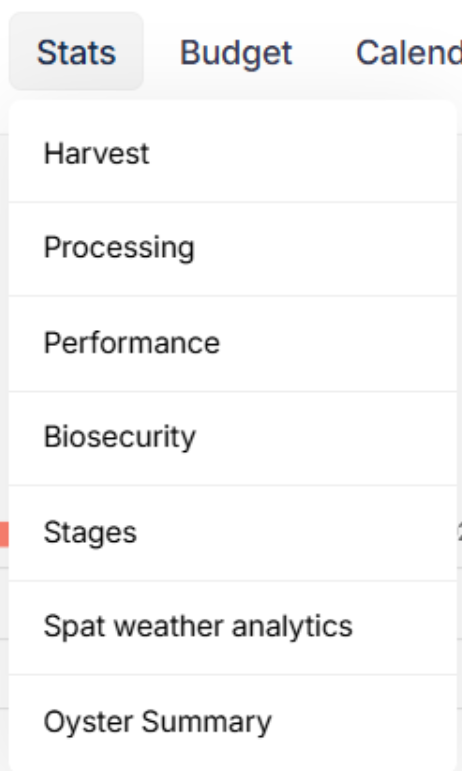
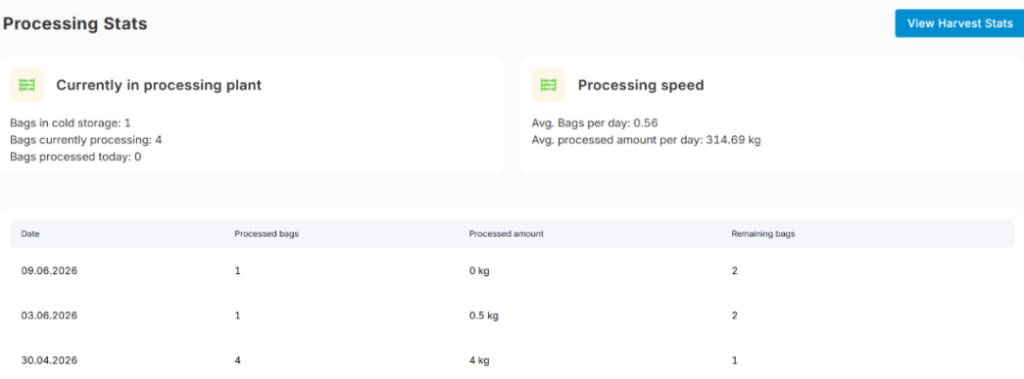
From the Harvests panel you can see both figures, customise the columns to show what matters to you, and check the stats in the Stats tab.
To customise the processing columns: Profile > Manage Processing.
FYI: right now the system assumes the harvest and processing happen on the same day. You cannot change the date or assign them separately yet. That is the default for now and we are open to feedback on how this should work for your operation.
How Harvests look now:

And the menu:
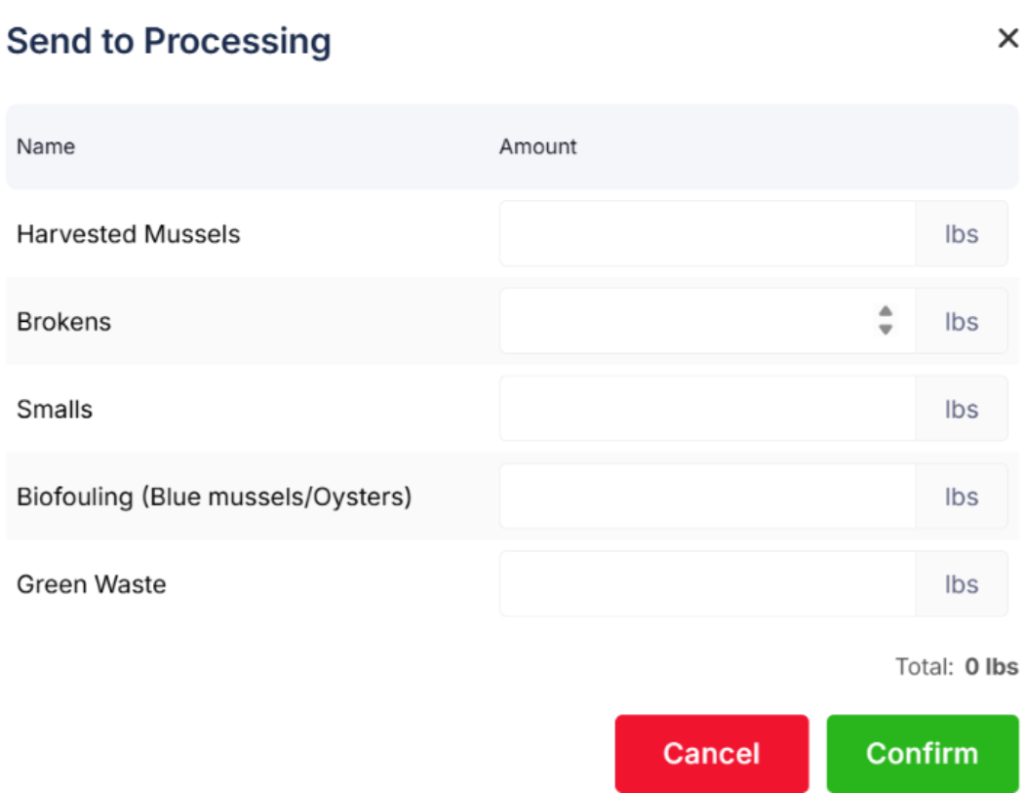
Columns are customized to your needs: To do so go to Profile > Manage processing> Create column

You can also see statistics related to processing:
3. Oysters can now be counted by tray
In oyster lines there are droppers, and inside each dropper there are rafts or trays. The app now lets you make that distinction when recording your data.
This came directly from working with an oyster farm and adapting the app to how they actually count their stock.
4. Send to inventory from individual line harvest
You can now send mussels in the final production stage to inventory directly from the individual line harvest menu. Before this was only available through bulk harvest.

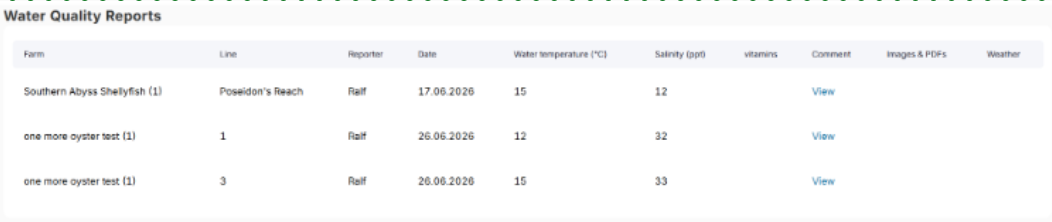
5. Custom water quality fields are now actually custom
The environmental custom fields were not fully customisable before. Now they are. You can add, edit, and personalise them however you need.
To set them up: Profile > Custom Fields > scroll down to water fields. Stats are available in the Stats tab, same menu as processing.
6. Spat Weather Analytics
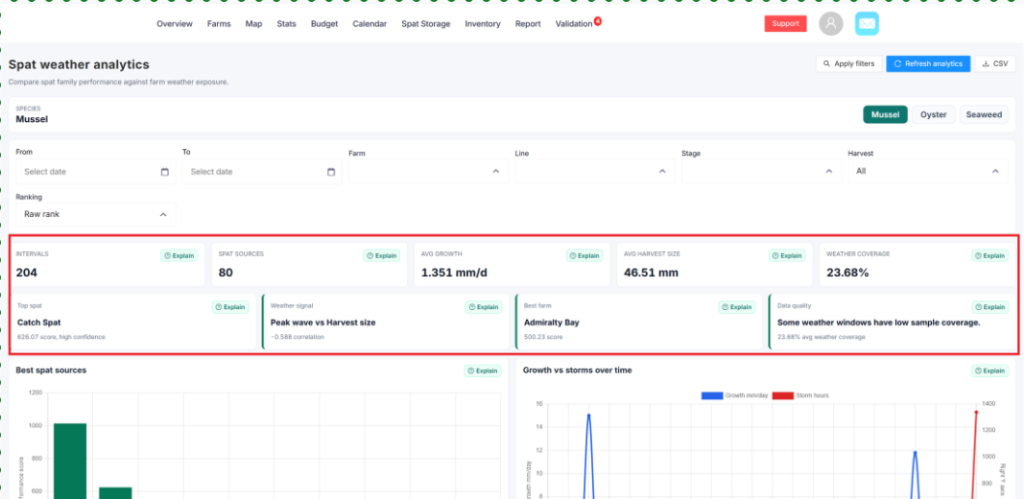
Two years in the making. The first tool of its kind to run automatic AI analysis on your own farm data. Which spat performs best on your farm. How weather affects your outcomes. Full breakdown in a separate newsletter sent last week.
Coming soon:
Seaweed farming support
We are starting to adapt the app for seaweed farming. The first step is being able to assign species to seaweed lines. More details as we build it out.
Small changes are not always simple to achieve
Every farm has its own way of doing things. The way you count stock, the way you move from sea to processing, the way your team records a day on the water. No two operations are the same, and that is something we have learned the hard way more than once.
You may have noticed that over the last few months the updates have felt smaller. There is a reason for that. Every change we ship, however small it looks on paper, goes through testing to make sure it works across different operations, different setups, different ways of farming.
A field added here, a tab reorganised there. To one farmer that is nothing. To another it is the thing that was blocking them from recording their harvest properly. The app serves a lot of different operations and a change that seems minor can touch the logic in ways that affect everyone. So we move carefully.
We know it can feel slow. Bear with us. Keep sending feedback, keep telling us what is not working, and keep farming the way you know how. We will keep building around you.
More coming next month.
